Co-production is statutory from 2029. We've made it the easiest part of your week.
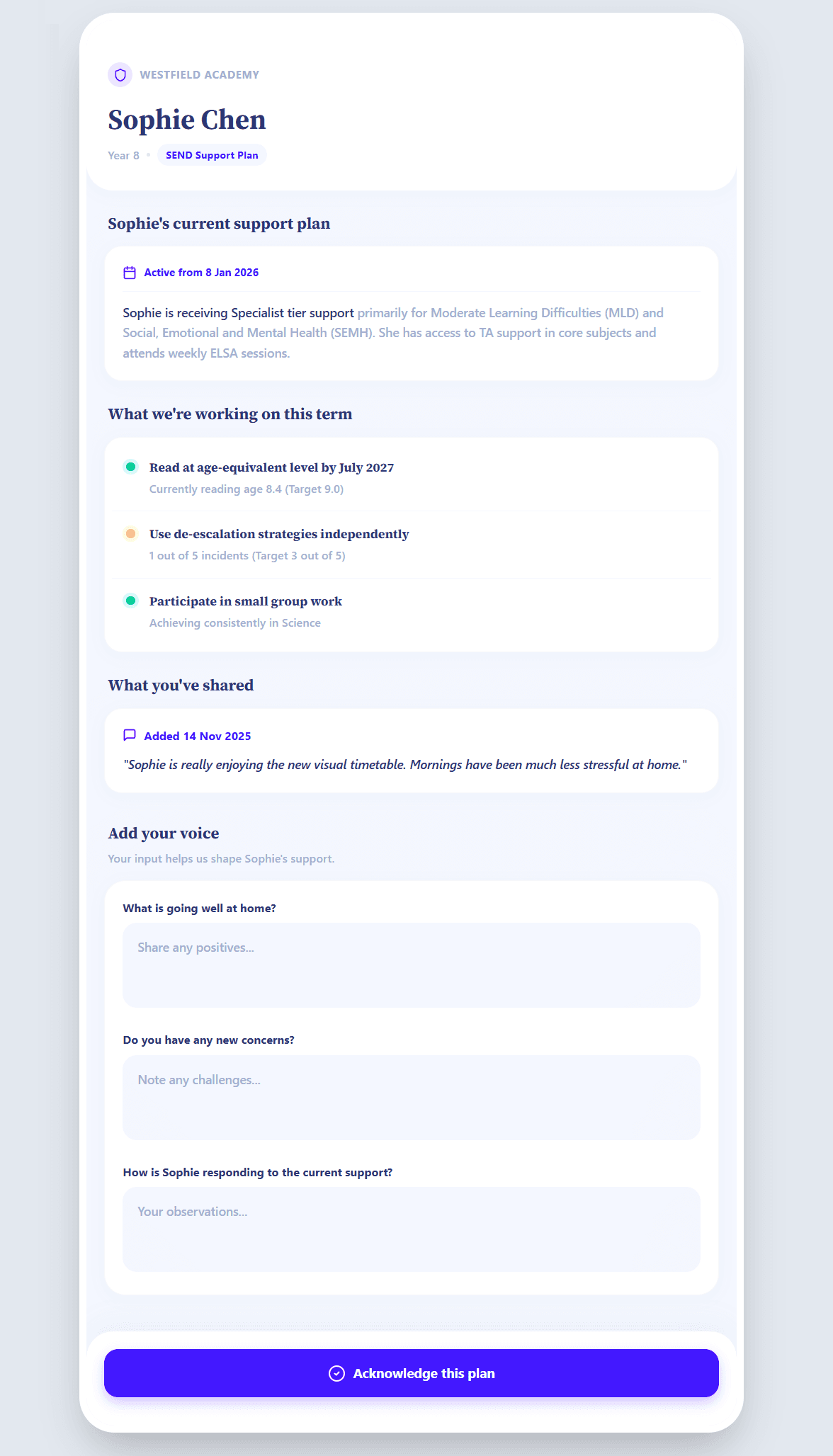
The SENDCo invites the parent in one click. The parent sets up a passkey or password in under a minute, then signs in any time to review the plan and add their voice. The SENDCo accepts contributions in one click.

Co-production through a Word document and an email chain doesn't meet the new standard.
Under the SEND Reform White Paper, every ISP must be co-produced with parents and reviewed annually. The DfE's expectation is digital, not Word-and-email. Schools that can't show structured parent contribution by September 2029 will be at significant risk of failing the inspection standard.

Parents see what affects their child. They don't get edit access to the plan itself.
- 1
What the parent sees
Child's name, current plan summary, next review date.
- 2
What they can contribute
Parent voice text, what's working at home, concerns.
- 3
What they can't do
No edits to provision, no access to other pupils, no admin.
Parents see what affects their child. Nothing more, nothing less.
What the parent portal does.
Secure, one-click invitation
The SENDCo invites a parent in one click. The parent sets up a passkey or password on first visit — most do it in under a minute. After that, they sign in normally whenever they want to review the plan. Magic-link invitations expire in 15 minutes for security.
Structured contribution
Parents add their voice through guided prompts: what's working, what's not, what they want for their child. Their input arrives at the SENDCo's desk, ready to be accepted into the next ISP review.
SENDCo controls everything
The SENDCo decides when to invite, what to share, and which contributions to accept. The parent portal is read-only by default. Anything the parent submits has to be reviewed before it lands in the plan.

Four steps. One per actor.
SENDCo invites
Clicks 'Invite parent' on the pupil profile, picks which sections to share.
Parent receives email
Branded with the school's name. One-time magic link, 15-minute expiry. Sets up the account in seconds.
Parent contributes
Reviews the plan, adds parent voice, confirms what's working at home.
SENDCo accepts
Reviews submissions, accepts into the next ISP review, audit-trailed throughout.
Built for the data the GDPR cares most about.
The parent portal handles the most sensitive data a school holds. We've built it for that.
- Magic-link invitations expire in 15 minutes. Parent accounts use passkeys or passwords, with optional 2FA. Sessions expire after 30 days of inactivity. Instant revocation by the school.
- Parents only ever see their own child's information. There's no cross-pupil access, ever.
- Every parent view, contribution and acceptance is logged. The audit trail is exportable.
- No third-party trackers, no analytics, no marketing pixels on the parent-facing pages.

Common questions about the parent portal.
What if a parent loses their link?
Why an account rather than just a link?
Can both parents have access?
What if parents don't have email?
Can a parent edit the plan directly?
What about parents who don't speak English?
What happens at the end of the school year?
Parent voice flows into ISP reviews. See how →
Parent voice is part of every EHCP evidence pack. See the sample →
Want to see this in your school? Apply for a founding place →